

ubiquifi
 GitHub
Web application (browser extension)
March 2025 - Present
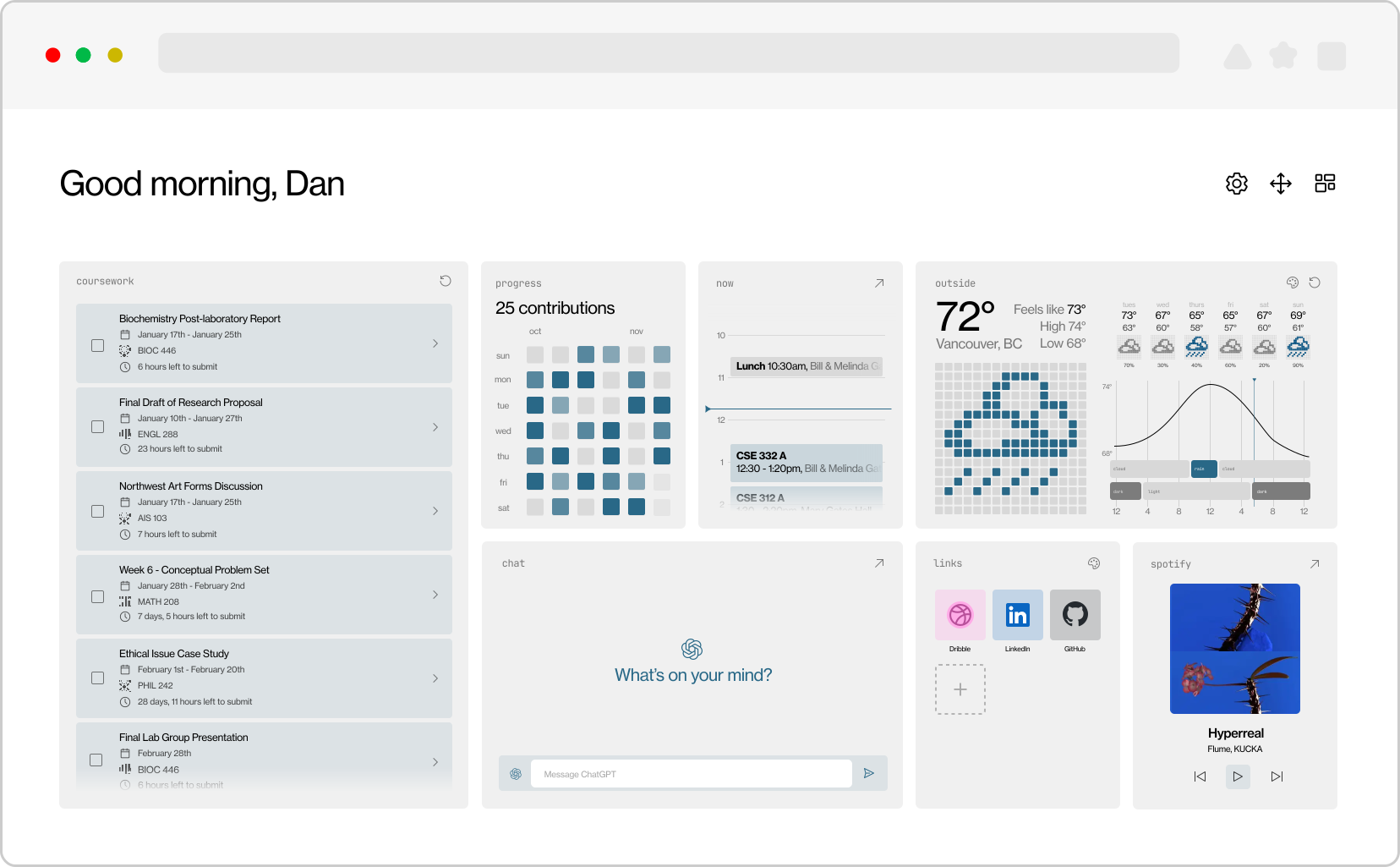
What is ubiquifi?
ubiquifi is a modular, widget-based new tab page that is designed to bring all of your important glanceable information in one place in a beautiful and customizable format. The product is packaged as a browser extension for Firefox and Chrome-based browsers, collaboratively developed using Svelte and TypeScript in a team of 2 people. Currently, there is a wide selection of widgets available, many of which are catered to students like the Canvas/Gradescope task panel, with more being actively developed for a larger range of audiences.
Integrations & widget system
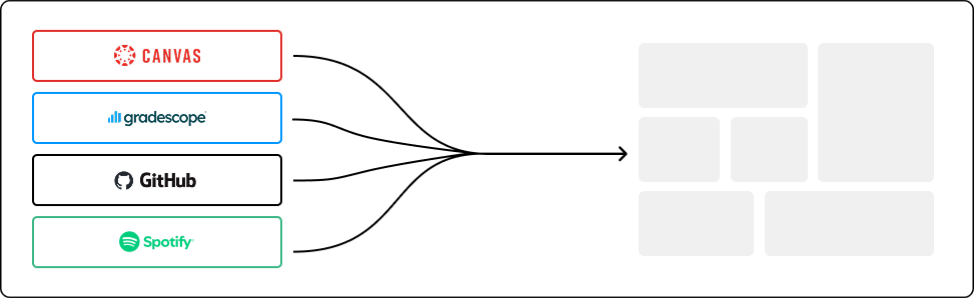
While some widgets are designed to work right out of the box with no additional configuration, many widgets that are included are integration-based, meaning that they can connect to user’s accounts on other platforms to display a variety of useful information, like the current song that they’re playing on Spotify, their upcoming calendar events, or their recent GitHub contribution history. The goal of this product was to create sort of a “hub” of useful information on your desktop, that lives in the background (accessed whenever you open a new tab).
Design & prototyping
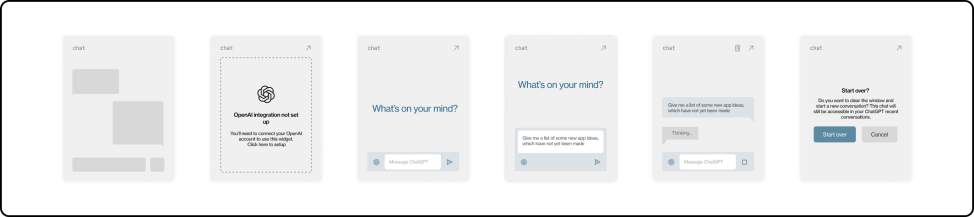
During the design phase of this project, we decided to focus on a component and state forward approach, beginning by creating reusable components and illustrating each state that widgets might take in the product before development. This was reflected in the code, with the creation of Svelte components, which sped up the process significantly and allowed for a scalable product that can be made open source and open to easy and more standardized contributions, both in the development and design aspect.
User-centered customization
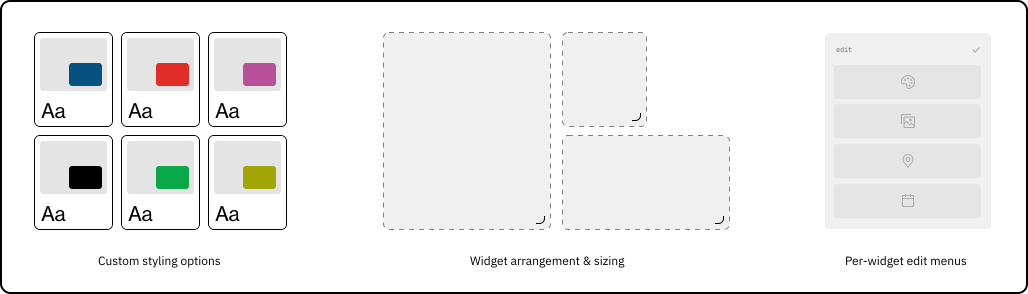
Ubiquifi was built to live as a hub for all your useful information throughout the day, and allowing users to make it a space that works for them and aligns with their stylistic and functional preferences was one of the main considerations we had when designing this product. We kept a variety of different user personas in mind, for example, in the color theme option, users who often get overwhelmed with too many options can choose from a selection of one-click curated themes, and for the power users, custom themes can be created where every color that is used in the app can be customized.
Takeaways
(project in progress, coming soon...)